


魔改chromium源码——新增自定义变量到windows属性

在进行以下操作之前,请确保已完成之前文章中提到的 源码拉取及编译 部分。
如果已顺利完成相关配置,即可继续执行后续操作。
目标
在 Chromium 中添加一个全局变量 myCode,值为 "你好!我是来自C++的字符串",并通过 JavaScript 的 console.log(window.myCodeApi.myCode()) 直接访问。
实现步骤
步骤 1:定义全局变量
在 src/base 模块中定义全局变量 myCode,以便在整个 Chromium 项目中复用
在src/base目录下,创建文件:my_globals.h
文件内容:
▼cpp复制代码#ifndef BASE_MY_GLOBALS_H_
#define BASE_MY_GLOBALS_H_

#include <string>

namespace base {
extern const char* const kMyCode;
}

#endif
base目录下创建文件:my_globals.cc
文件内容:
▼cpp复制代码#include "base/my_globals.h"

namespace base {
const char* const kMyCode = "你好!我是来自C++的字符串";
}

修改 base/BUILD.gn
文件路径: src/base/BUILD.gn
操作: 在 component("base") 的 sources 列表中添加新文件的文件名

步骤 2:创建 JavaScript 绑定
在 src/content/renderer 目录中,创建文件:my_code_binding.h
文件内容:
▼cpp复制代码#ifndef CONTENT_RENDERER_MY_CODE_BINDING_H_
#define CONTENT_RENDERER_MY_CODE_BINDING_H_

#include "v8/include/v8.h"

namespace content {

class MyCodeBinding {
 public:
  // 安装绑定到指定的 V8 上下文中
  static void Install(v8::Local<v8::Context> context);

 private:
  // 获取 my_code 值的 JavaScript 函数
  static void GetMyCode(const v8::FunctionCallbackInfo<v8::Value>& args);
};
}

#endif
在 src/content/renderer 目录中,创建文件:my_code_binding.cc
▼cpp复制代码#include "content/renderer/my_code_binding.h"

#include "base/my_globals.h"
#include "third_party/blink/public/web/blink.h"
#include "v8/include/v8.h"

namespace content {

void MyCodeBinding::Install(v8::Local<v8::Context> context) {
  // 从 context 获取 Isolate
  v8::Isolate* isolate = context->GetIsolate();
  v8::HandleScope handle_scope(isolate);
  v8::Local<v8::Object> global = context->Global();
  v8::Local<v8::Object> my_code_api = v8::Object::New(isolate);
  my_code_api->Set(
      context,
      v8::String::NewFromUtf8(isolate, "myCode").ToLocalChecked(),
      v8::Function::New(context, &MyCodeBinding::GetMyCode).ToLocalChecked())
      .Check();

  global->Set(
      context,
      v8::String::NewFromUtf8(isolate, "myCodeApi").ToLocalChecked(),
      my_code_api)
      .Check();
}

void MyCodeBinding::GetMyCode(const v8::FunctionCallbackInfo<v8::Value>& args) {
  v8::Isolate* isolate = args.GetIsolate();
  v8::HandleScope handle_scope(isolate);
  args.GetReturnValue().Set(
      v8::String::NewFromUtf8(isolate, base::kMyCode)
          .ToLocalChecked());
}

}
修改 content/renderer/BUILD.gn
文件路径: src/content/renderer/BUILD.gn 操作: 在 target(link_target_type, "renderer") 的 sources 列表中添加新文件

步骤 3:绑定到 RenderFrameImpl
在 RenderFrameImpl 中调用绑定逻辑,将 myCode 属性安装到脚本上下文中
修改文件路径:src/content/renderer/render_frame_impl.cc
在文件顶部添加 my_code_binding.h 头文件,可以按文件头字母顺序添加
▼cpp复制代码#include "content/renderer/my_code_binding.h" <img src="https://pic.code-nav.cn/post_picture/1922184057994162177/lS7yrj8F0pciPuuk.webp" alt="在这里插入图片描述" width="100%" /> uuk.webp) 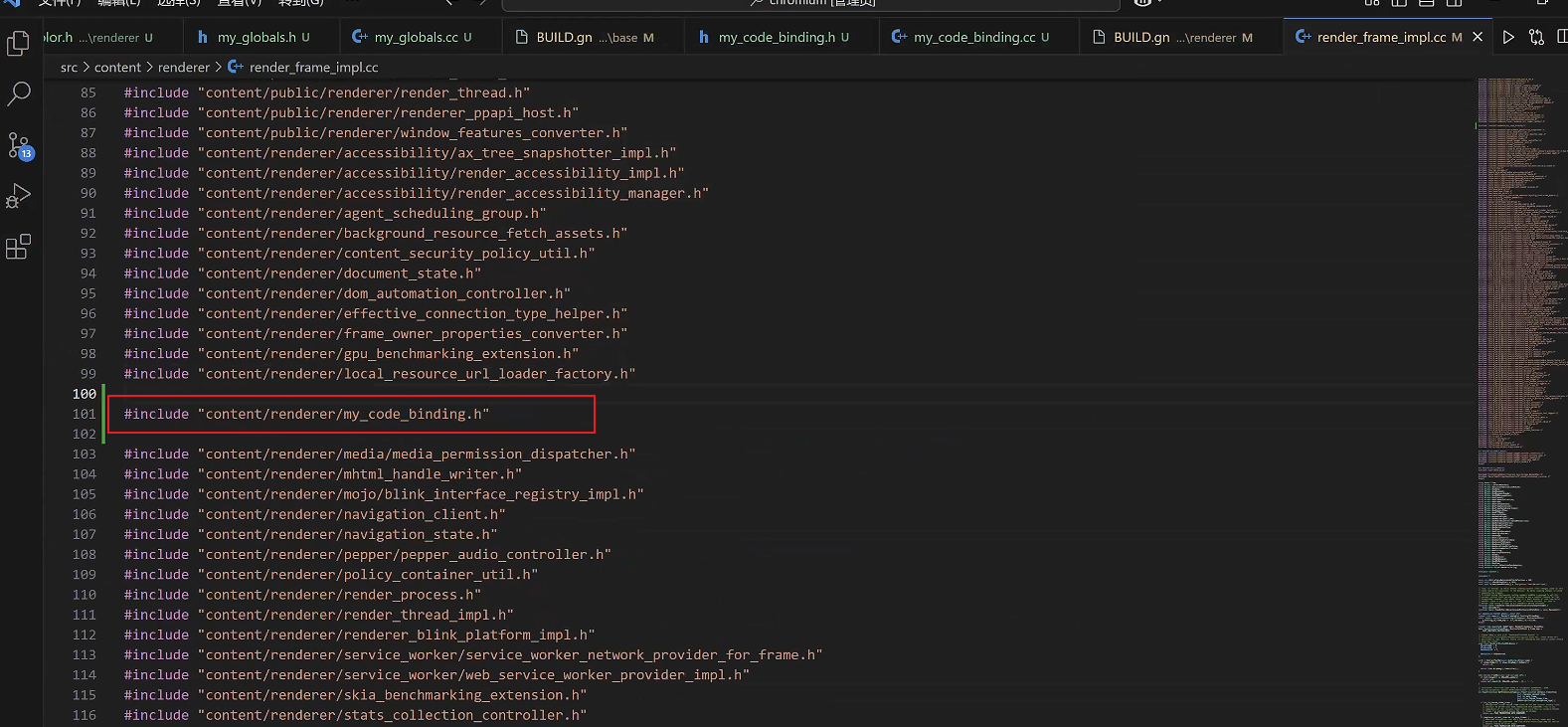 在RenderFrameImpl::DidCreateScriptContext中添加如下代码 ```cpp void RenderFrameImpl::DidCreateScriptContext(v8::Local<v8::Context> context, int world_id) { // 新增代码 if (world_id == 0) { MyCodeBinding::Install(context); } // 新增代码 TRACE_EVENT_WITH_FLOW0("navigation", "RenderFrameImpl::DidCreateScriptContext", TRACE_ID_LOCAL(this), TRACE_EVENT_FLAG_FLOW_IN | TRACE_EVENT_FLAG_FLOW_OUT); v8::MicrotasksScope microtasks(GetAgentGroupScheduler().Isolate(), context->GetMicrotaskQueue(), v8::MicrotasksScope::kDoNotRunMicrotasks); if (((enabled_bindings_.Has(BindingsPolicyValue::kMojoWebUi)) || enable_mojo_js_bindings_) && IsMainFrame() && world_id == ISOLATED_WORLD_ID_GLOBAL) { // We only allow these bindings to be installed when creating the main // world context of the main frame. blink::WebV8Features::EnableMojoJS(context, true); if (mojo_js_features_) { if (mojo_js_features_->file_system_access) blink::WebV8Features::EnableMojoJSFileSystemAccessHelper(context, true); } } if (world_id == ISOLATED_WORLD_ID_GLOBAL && mojo_js_interface_broker_.is_valid()) { // MojoJS interface broker can be enabled on subframes, and will limit the // interfaces JavaScript can request to those provided in the broker. blink::WebV8Features::EnableMojoJSAndUseBroker( context, std::move(mojo_js_interface_broker_)); } for (auto& observer : observers_) observer.DidCreateScriptContext(context, world_id);   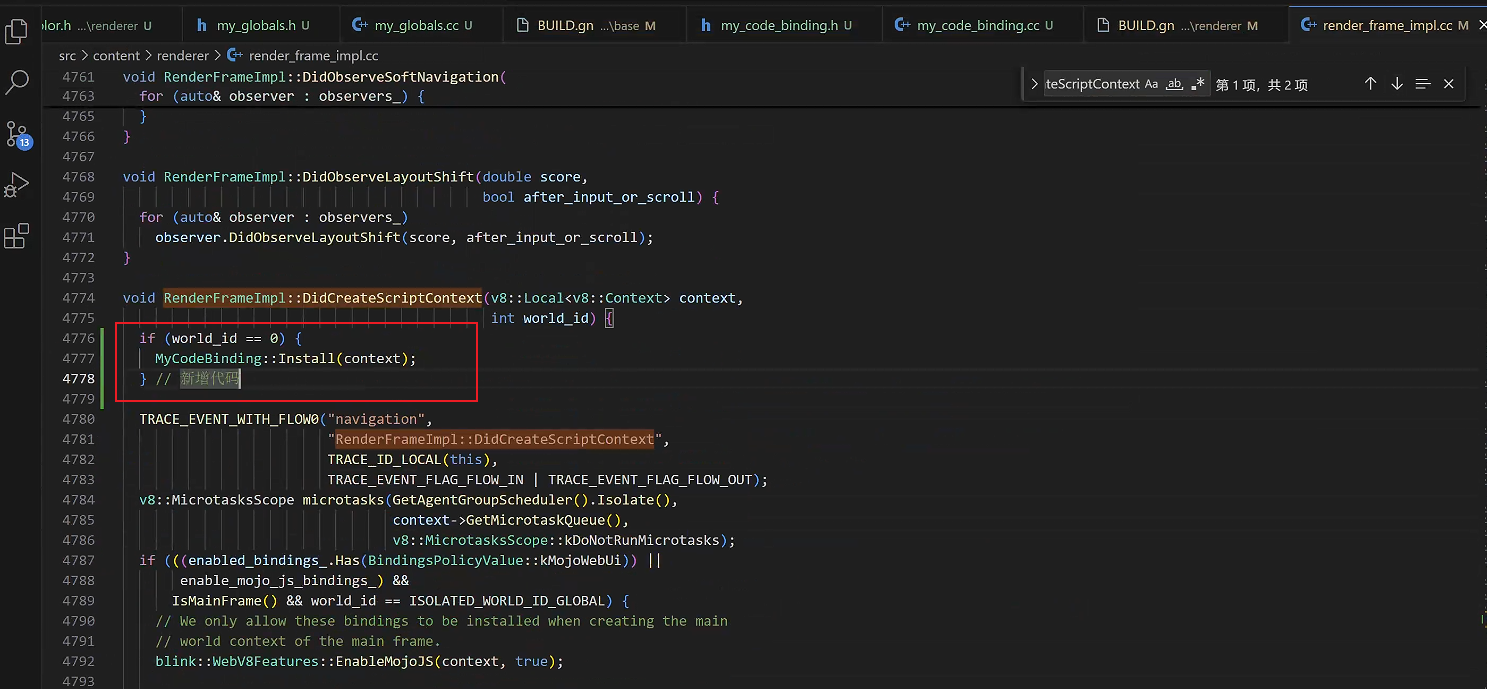 最后,在src目录下,执行 gn gen out/Default ,重新生成构建文件 构建成功之后运行一下命令进行编译 ```bash autoninja -C out/Default chrome

如果你想实现console.log(window.myCode);这样的效果
将 my_code_binding.h 修改为
▼cpp复制代码#ifndef CONTENT_RENDERER_MY_CODE_BINDING_H_
#define CONTENT_RENDERER_MY_CODE_BINDING_H_

#include "v8/include/v8.h"

namespace content {

class MyCodeBinding {
 public:
  static void Install(v8::Local<v8::Context> context);
};

}
#endif
将前面的 my_code_binding.cc 修改为
▼cpp复制代码#include "content/renderer/my_code_binding.h"

#include "base/my_globals.h"
#include "v8/include/v8.h"

namespace content {

void MyCodeBinding::Install(v8::Local<v8::Context> context) {
  v8::Isolate* isolate = context->GetIsolate();
  v8::HandleScope handle_scope(isolate);

  v8::Local<v8::Object> global = context->Global();

  global->Set(
      context,
      v8::String::NewFromUtf8(isolate, "myCode").ToLocalChecked(),
      v8::String::NewFromUtf8(isolate, base::kMyCode).ToLocalChecked())
      .Check();
}

}


