SVG图标配置

洛言
2025-03-15 22:27
阅读670
Hello,我是洛言,今天向大家分享的是SVG图标的配置。
对应commit:https://github.com/Epiphany6666/Elite-Code/commit/a65b26e71b5c846890ab66c804ce3318c3a5071d
一、介绍
在开发项目的时候经常会用到svg矢量图,而且我们使用SVG以后,页面上加载的不再是图片资源,
这对页面性能来说是个很大的提升,而且我们SVG文件比img要小的很多,放在项目中几乎不占用资源。
二、安装SVG依赖插件
官网:https://github.com/vbenjs/vite-plugin-svg-icons
▼bash复制代码npm i vite-plugin-svg-icons -D
在 vite.config.ts 中配置插件
▼ts复制代码import { createSvgIconsPlugin } from 'vite-plugin-svg-icons'
import path from 'path'
export default () => {
  return {
    plugins: [
      createSvgIconsPlugin({
        // Specify the icon folder to be cached
        // 表示将来SVG图标直接放到src/assets/icons文件夹中即可
        iconDirs: [path.resolve(process.cwd(), 'src/assets/icons')],
        // Specify symbolId format
        symbolId: 'icon-[dir]-[name]',
      }),
    ],
  }
}
入口文件导入
▼ts复制代码import 'virtual:svg-icons-register'
三、使用
拿阿里图标库举例,我们可以直接下载SVG文件导入到 src/assets/icons 中,或者 复制SVG代码 到SVG文件中
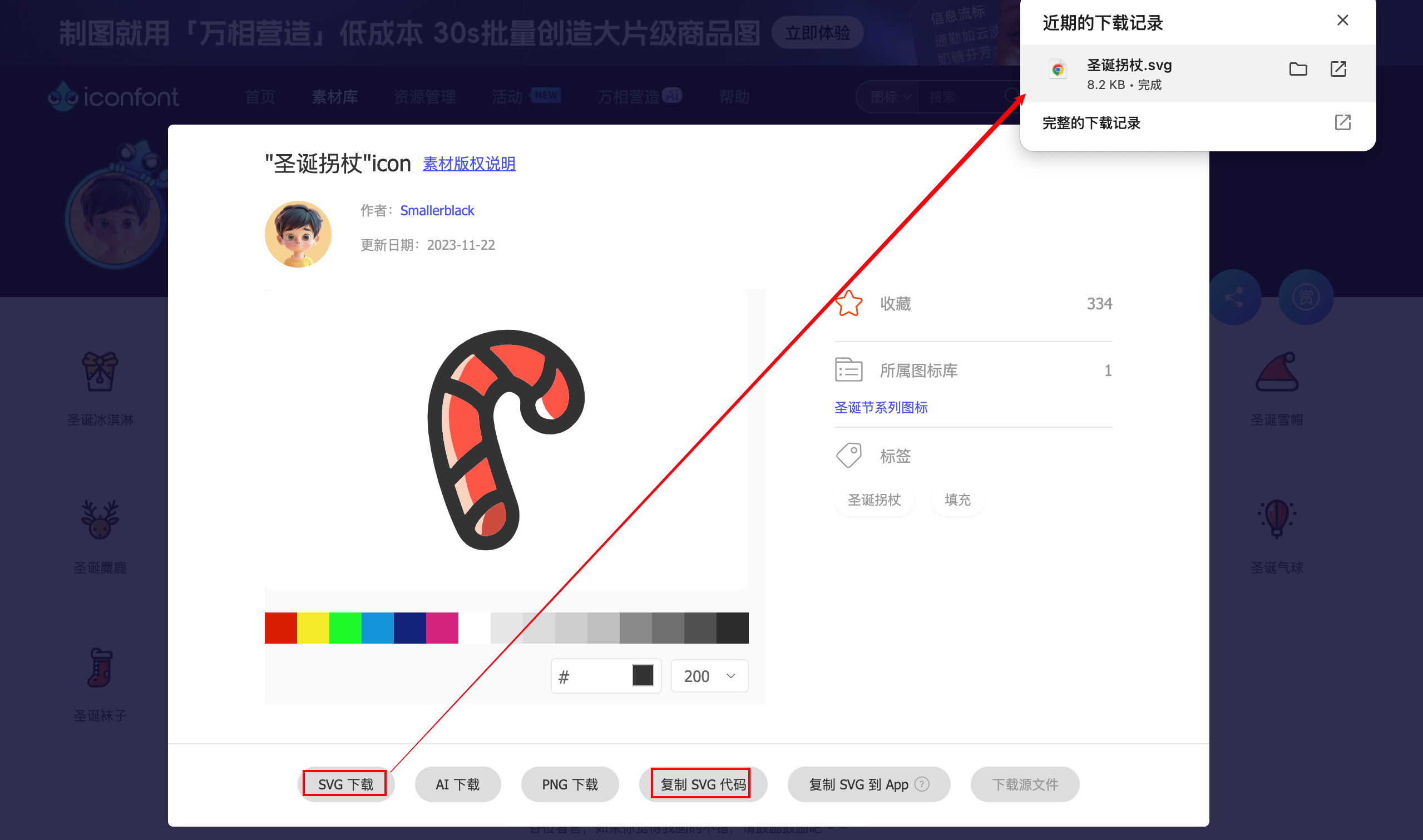
此时就可以在项目中使用
App.vue
▼html复制代码<!-- svg:图标外层容器节点,内部需要与use标签结合使用 -->
<!-- 图标的大小可以通过svg标签的样式进行调整 -->
<svg style="width: 30px; height: 30px">
  <!-- 通过use的xlink:href属性,属性值务必命名为 #icon-图标名字 -->
  <!-- fill属性:设置图标填充颜色-->
  <use xlink:href="#icon-lock" fill="red"></use>
</svg>
四、svg封装为全局组件
因为项目很多模块需要使用图标,因此把它封装为全局组件!!!
在src/components目录下创建一个SvgIcon目录
index.vue
▼vue复制代码<script setup lang="ts" name="SvgIcon">
import { computed } from 'vue'

const props = defineProps({
  className: {
    type: String,
    default: ''
  },
  iconClass: {
    type: String,
    required: true
  },
  color: {
    type: String,
    default: ''
  }
})

const iconName = computed(() => `#icon-${props.iconClass}`)
const svgClass = computed(() => {
  if (props.className) {
    return `svg-icon ${props.className}`
  } else {
    return 'svg-icon'
  }
})
</script>

<template>
  <svg :class="svgClass" aria-hidden="true">
    <use :xlink:href="iconName" :fill="color" />
  </svg>
</template>

<style scoped>
.svg-icon {
  width: 1.2em;
  height: 1.2em;
  vertical-align: -0.18em;
  fill: currentColor;
  overflow: hidden;
}
</style>
将组件注册到全局(main.ts)
▼ts复制代码import { createApp } from 'vue'
import SvgIcon from '@/components/SvgIcon/index.vue'

const app = createApp(App)
app.component('SvgIcon', SvgIcon)
app.mount('#app')
使用:
▼html复制代码<svg-icon icon-class="user" />
评论
问答助学
相关内容
0个评论
全部评论
点击登录,快来和大家讨论吧~
表情
图片
暂无评论